How to configure Huawei s optical module

Configuring a Huawei optical module involves proper installation, enabling the optical interface, verifying module compatibility, and checking operational status using display commands.Physical Instal...

HOME / How to configure Huawei s optical module - Umele Photonics & Micro-Optics Europe

How to configure Huawei s optical module

Configuring a Huawei optical module involves proper installation, enabling the optical interface, verifying module compatibility, and checking operational status using display commands.Physical InstallationSafety First: Never look directly into the optical module or fiber ends, as laser radiation can cause eye damage. Wear an ESD wrist strap or gloves to prevent electrostatic discharge damage .Insert the Module: Remove the dust plug from the optical port, ensure the module is correctly oriented, and gently push it into the port until it clicks. If it does not fit, rotate 180° and try again .Check Seating: Keep the handle closed and gently pull the module. If it does not come out, it is properly seated .Fiber Connection: Only connect optical fibers after the module is installed. Measure input optical power to ensure it is within the safe range .Enabling the Optical InterfaceFor Combo interfaces (optical/electrical), enter system view and execute:CodeCopyinterface combo enable fiber to switch to the optical interface. Use undo combo enable fiber to revert to electrical mode .For 10GE optical ports, execute:CodeCopyport combination-mode 10GE interface to switch from default 2.5GE electrical mode to 10GE optical mode. Reverting is done with undo port combination-mode 10GE interface .Verifying Module CompatibilityEnsure the optical module matches the port speed and fiber type (single-mode vs. multi-mode). Do not mix incompatible fibers or use a higher-speed module than the interface supports .Only use Huawei-certified modules to ensure reliability. Non-certified modules may fail to install or operate correctly .Checking Module StatusUse the following commands to read module information and diagnostics:CodeCopydisplay transceiver interface verbosedisplay transceiver diagnosis interface display interface These commands provide details on transceiver type, wavelength, optical power, link status, and digital diagnostic monitoring (DDM) data .To view all interfaces and their status:CodeCopydisplay interface brief TroubleshootingIf the port shows Administratively DOWN, enable it using:CodeCopyinterface undo shutdown Perform a loopback test by connecting the fiber jumper to the same module to check for abnormal conditions .Verify that received and transmitted optical power is within normal range using the display transceiver command . By following these steps, you can safely install, configure, and verify Huawei optical modules, ensuring proper operation and network stability.
Configure Huawei Optical Module PON

S110, S220, S310, S530, and S620 Series Switches Installing an

While keeping the handle of the transceiver module closed, grasp the two sides of the transceiver module with your thumb and forefinger and gently pull it. If the transceiver module does not pull out, it
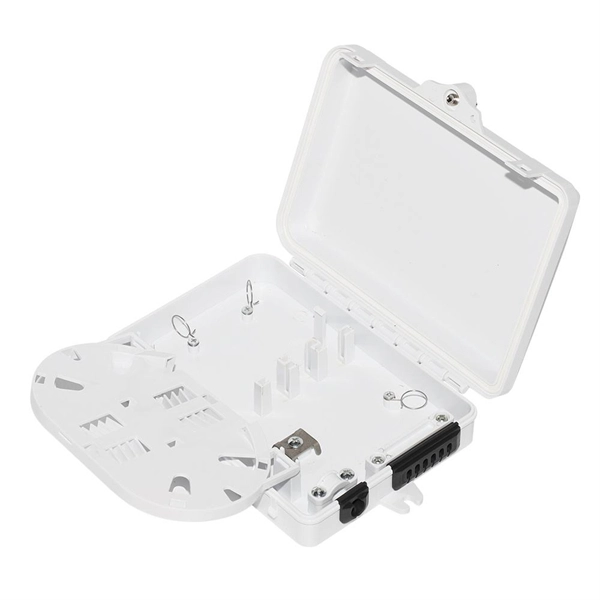
How To View Optical Transceiver Information On Huawei Switches

Optical transceivers are widely applied in switches, network cards, routers and other communication devices. Checking transceiver parameters allows users to monitor real-time

Pag-troubleshoot sa Huawei MA5608T vs MA5800-X2: Mga Optical

Ang backplane ng MA5608T ay sumusuporta ng hanggang 720 Gbit/s sa ilang mga configuration, ngunit ang distributed forwarding plane ng MA5800-X2 ay nagbibigay-daan sa mas mataas na real-world

Installing Optical Transceivers and Connecting Optical Fibers

Installing Optical Transceivers and Connecting Optical Fibers This section describes how to install optical transceivers on the SFP or SFP+ ports and connect them to the ports of the peer device using

Troubleshooting for Optical Modules on Huawei Switch

Check whether the optical module is Huawei-certified. If it is not certified by Huawei, replace it with a Huawei certified one. Remove and reinstall the optical module.

CloudEngine 8800, 7800, 6800, and 5800 Series Switches Hardware

This document provides an overall description of the CE5800&6800&7800&8800 series switches hardware that versions earlier than V200R020C00, helping you obtain detailed information about

Installing an Optical Module

Installing an Optical Module Context This section describes how to install an optical module. The method used to install a copper transceiver module is the same, except that the copper transceiver module

Optical Module Solutions for Huawei S5700/S5720 Series Switches

This article summarizes several solutions for using optical modules with switches and common problems encountered during usage, along with specific solutions.

Replacing an Optical Module

Replacing an Optical Module Context Never look directly into an optical module or the ends of optical fibers. Optical modules and connected fibers emit laser radiation that will cause eye damage. A

Huawei OLT PON Port Licensing FAQ: Expert Answers to Network

Furthermore, PON cards or modules can only interconnect with Huawei''s equipment due to proprietary mechanisms. The rule is: port mode, RTU license, optical module, and the ONU/ONT must all be

Optical Module Solutions for Huawei S5700/S5720 Series Switches

When using switches, we may encounter many confusions, such as what types of optical modules are needed for different models of Huawei switches, and how to resolve issues encountered

Huawei Switches Viewing Optical Port Receiving and Sending

Use the command display transceiver to view the optical module information of all optical ports, and use the command display transceiver interface interface-type interface-number to view the

Marvell Technology, Inc. | Essential technology, done right

Designed for your current needs and future ambitions, Marvell delivers the data infrastructure technology transforming tomorrow''s enterprise, cloud, automotive,

Installing Optical Module Tutorial For HUAWEI Switch

Module installation is an important factor affecting the service life of switches and modules. In the installation process, be sure to follow the installation steps mentioned above and pay attention to the

Replacing an Optical Module

The device must use optical modules recommended on the configurator because non-Huawei-certified optical modules cannot ensure transmission reliability and may affect service stability. Huawei is not

Optical Module: Typical Optical Module Troubleshooting Procedure

Optical Module: Typical Optical Module Troubleshooting Procedure Check the model of the faulty optical module. If it is not a Huawei-certified optical module, replace it with a Huawei-certified optical module.

Pagtagumpayan ang mga Bottleneck sa Network: Manwal sa Pag-configure

Sa larangan ng mga carrier-grade access network, ang katatagan ng Passive Optical Network (PON) port ang pundasyon ng paghahatid ng serbisyo. Kapag ang isang Huawei

Configuring Attributes for an Optical Interface

Some functions can be configured on an optical interface only after the interface connects to a transmission medium (such as an optical module or copper module).

What Can I Do If a Message Is Displayed Indicating that an Optical

For example, if a non-XGE optical module is installed on an XGE port, the rate of the optical module does not match the port rate. In this case, replace the current optical module with a supported optical

6.3.9 Installing Cables and Optical Modules. Huawei E9000

Step 2 Insert the optical module and optical cable into the 10GE or 8 Gbit/s FC optical port. 1. Determine the type and installation position of the optical module based on site requirements. 2. Horizontally

S210 Series Switches Installing an Optical Module

While keeping the handle of the transceiver module closed, grasp the two sides of the transceiver module with your thumb and forefinger and gently pull it. If the transceiver module does not pull out, it
Installing Optical Modules

The device must use optical or copper modules recommended on the configurator because non-Huawei-certified optical or copper modules cannot ensure transmission reliability and may affect service

Optical Networking & Micro-Optics Insights